
Faster, safer school pickup
Check in from the car line with one tap. Staff see your arrival on a live dashboard and your student is ready at the door — no walkie-talkies, no paper logs, no shouting numbers across the parking lot.
Works in any browser — nothing to install. The mobile app is an optional extra. Schools: schedule a demo.
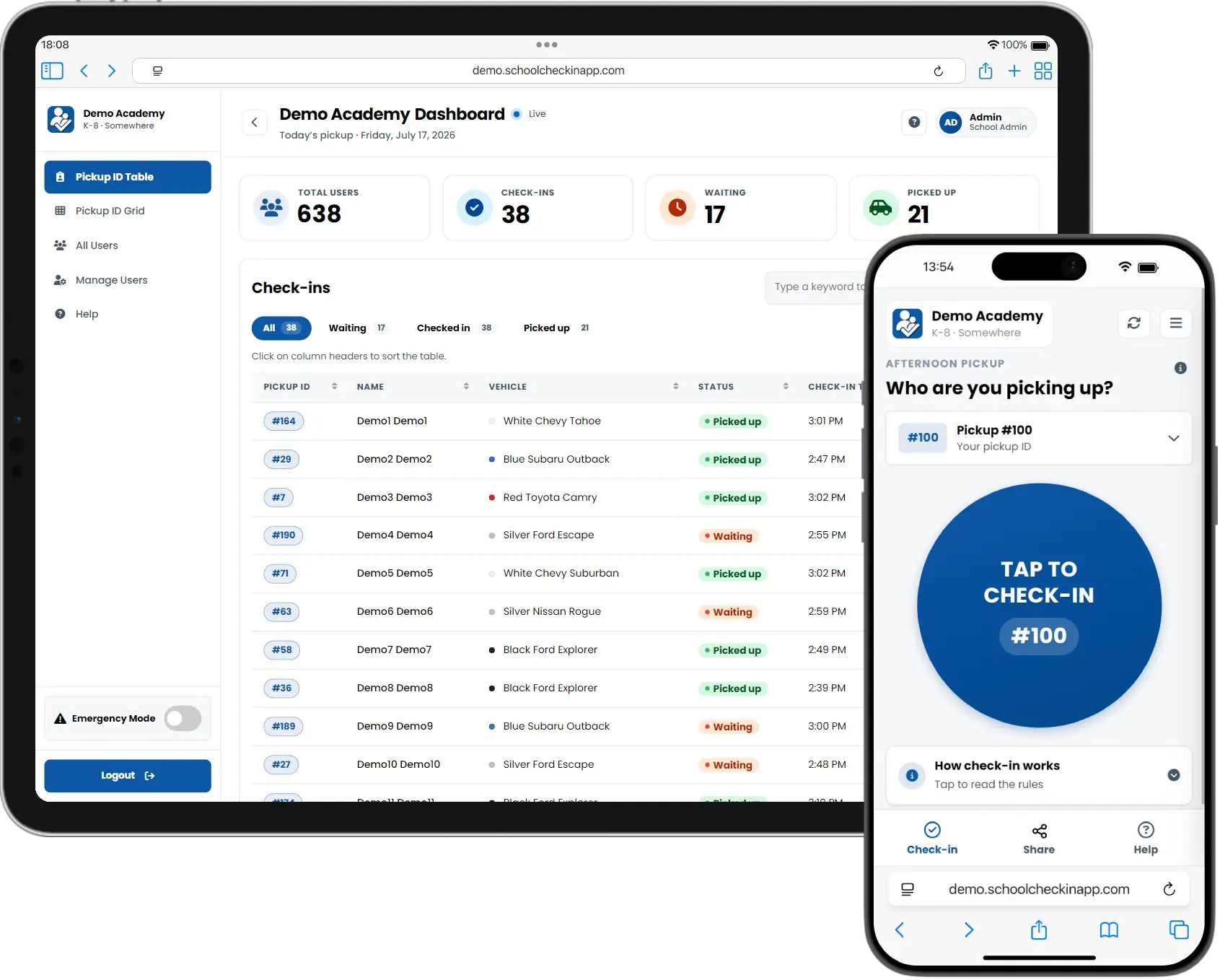
Three steps to a calm dismissal
Parents get started from a single welcome email — most families are checking in on day one.
Get your welcome email
Your school sends a secure link. Set a password and you're ready — use it in any browser or install the optional app.
Tap check in when you arrive
One big button. A quick location check confirms you're at school, then your student's pickup ID appears instantly on the staff dashboard.
Your student comes out
Staff see your arrival in real time and release your student. No radios, no lists, no waiting in the office.
Streamlined school dismissal
Everything a pickup line needs — oversight for schools, peace of mind for parents.
At the curb
One-tap check-in
Your student’s pickup ID appears on the staff dashboard instantly.
Confirm in the car
A second tap verifies your kids are aboard before you pull away.
Saved vehicles
Staff spot you by make, model, and color for a faster hand-off.
Who can pick up
Trusted guardians
Co-parents get their own logins; caregivers get shared access.
One-day passes
Text a single-use link to a grandparent — it expires after pickup.
What staff see
Live dashboard
Every check-in appears the moment a parent taps. No radios.
Admin controls
Manage accounts, review histories, handle exceptions in one place.
Total control from a central hub
Our intuitive administrator dashboard gives your team complete command over the entire dismissal system, ensuring every student pickup is safe and accounted for.
Manual check-ins
Staff can instantly log student pickups manually. The real-time table and grid views update immediately, keeping your team in sync.
Guardian management
Manage all guardian accounts with tools for profile edits, instant password resets, and real-time status changes.
Emergency resilience
Instantly activate school-wide overrides to bypass location or time rules during critical or emergency situations.
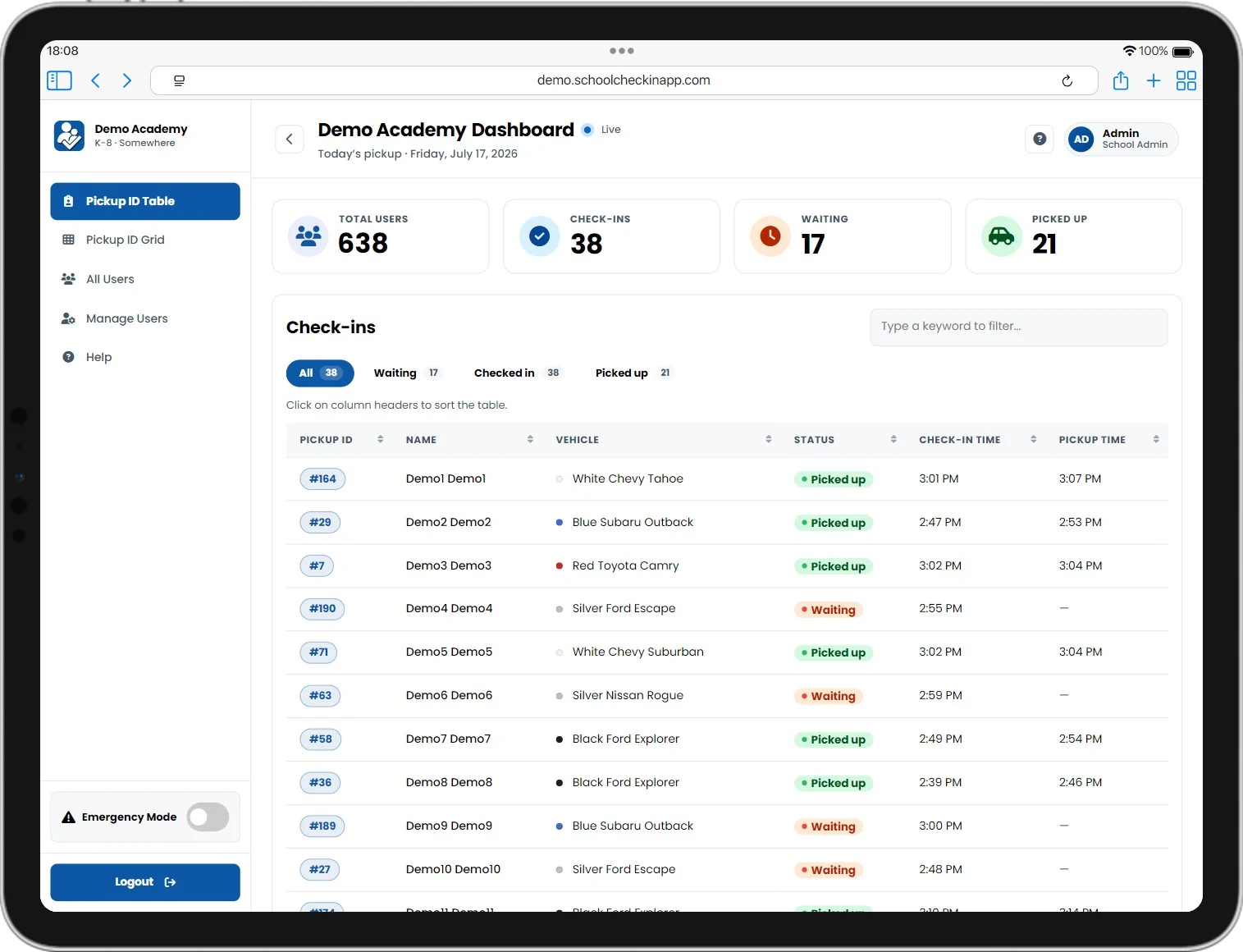
Live check-in table
Simple & beautiful interface
A clean, intuitive interface designed for busy parents and school staff, ensuring a smooth and enjoyable user journey.
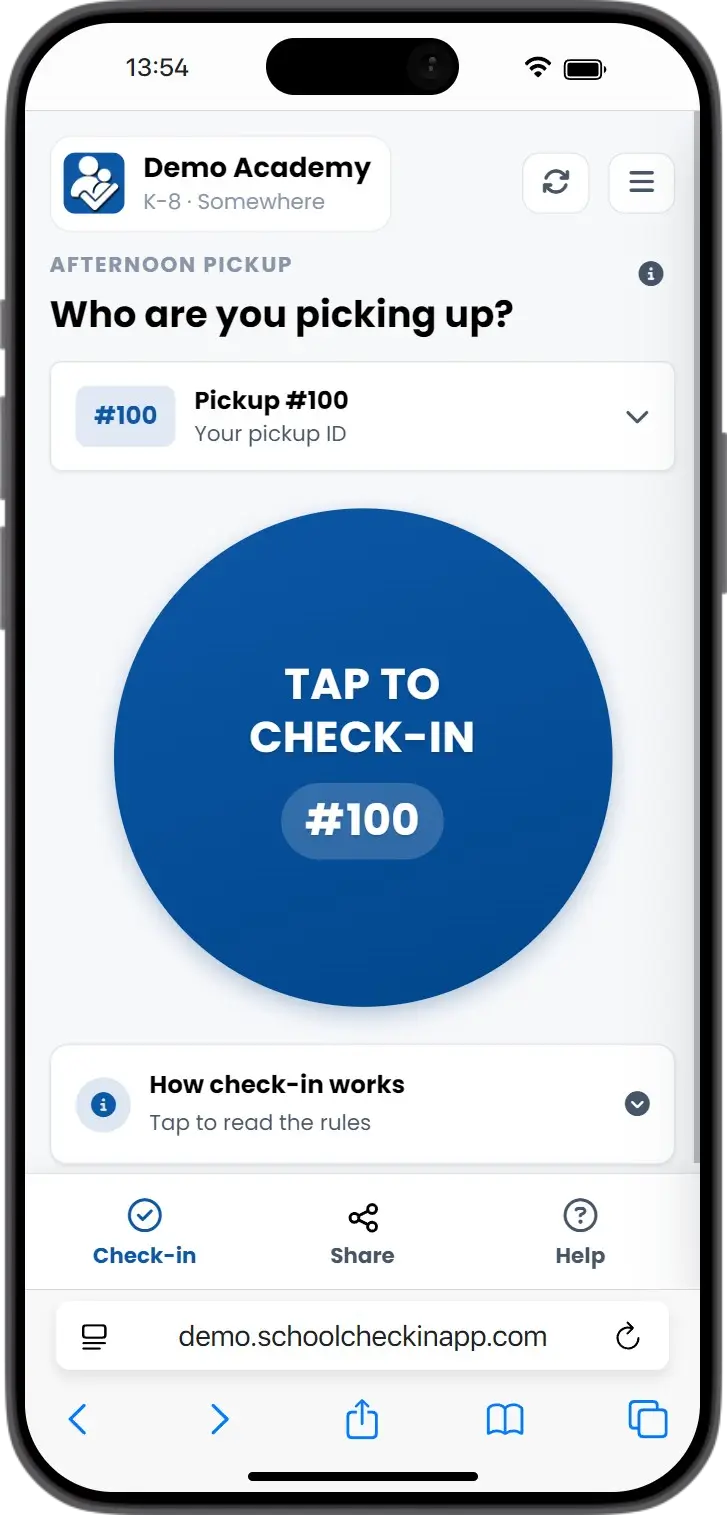
One-tap check-in
Prefer an app? Get SchoolCheck-In
Everything works in your browser — the app is a convenient extra, not a requirement. One tap check-in right from your home screen, on iOS and Android.



Ask your school for your family's welcome email to get signed in.
What our schools are saying
Hear from school administrators and parents who have streamlined their daily dismissal with our platform, and discover how we've eliminated the stress of the afternoon pickup line.
"I am no longer needing to go out and check cars/numbers and can instead hold parent meetings, help with crossing guard etc..."
"The time it took to relay numbers from whoever was outside to us inside. The app saves us a ton of time at pickup! Time saved for sure!"
"It makes it so much easier to just find a parking spot and click that I'm here."
"A safe and effective way to notify the staff and knowing my students are receiving the message that I am in the parking lot. I love it!"
"So lovely to just pull in knowing that my number is logged in."
Transparent, value-driven plans
Modern dismissal security that scales with your school. No hidden fees or surprise spikes — just a straightforward, all-inclusive solution for your entire campus.
The Complete Platform
Predictable cost
Annual flat rate subscription
Unlimited scale
No per-user or staff fees
Global security
Every security feature included
Custom tailored for your school's unique student population
Every plan includes the whole platform — nothing held back.
Core app & access
- Parent Check-In App
- Live Teacher Dashboard
- Unlimited Check-Ins
- Permanent Guardian Sharing
- One-Day Temporary Access
Service & implementation
- Annual Launch & Care Suite
- Setup & Onboarding
- Support & Maintenance
- Cloudflare Managed Edge Hosting
- Custom Feature Consultation
Management tools
- Full Administrator Dashboard
- Full Parent User Management
- Bulk User & ID Upload (CSV)
- Flexible ID System Support
- Global Staff Login
Security & hosting
- Secure Google Cloud Hosting
- Continuous Backups & Recovery
- Daily Data Cleanup for Privacy
- Annual Security Review
Frequently asked questions
Find answers to the most common questions, covering everything from setup to advanced features. View the full FAQ for a printable version.
The basics
What is the School Check-In App?
How does the check-in process work?
Does the app confirm my child made it to the car?
Can parents save their vehicle details?
Is this a native app from the App Store?
How difficult is it to set up our school?
How is a "family" defined for billing?
Does our school need a specific ID system?
Access & families
Can guardians share pickup duties?
What if someone else picks up for one day?
How do parents manage pickup access?
Security & staff
What do dismissal staff see?
How is our school's data protected?
Do you store sensitive location data?
How is staff account security handled?
Is the app FERPA compliant?
What support do you offer?
Ready to transform your dismissal?
Whether you want a personalized tour or have questions about pricing and security, our team is here to help you eliminate the pickup chaos. Email us at sales@schoolcheckinapp.com or use the form.