
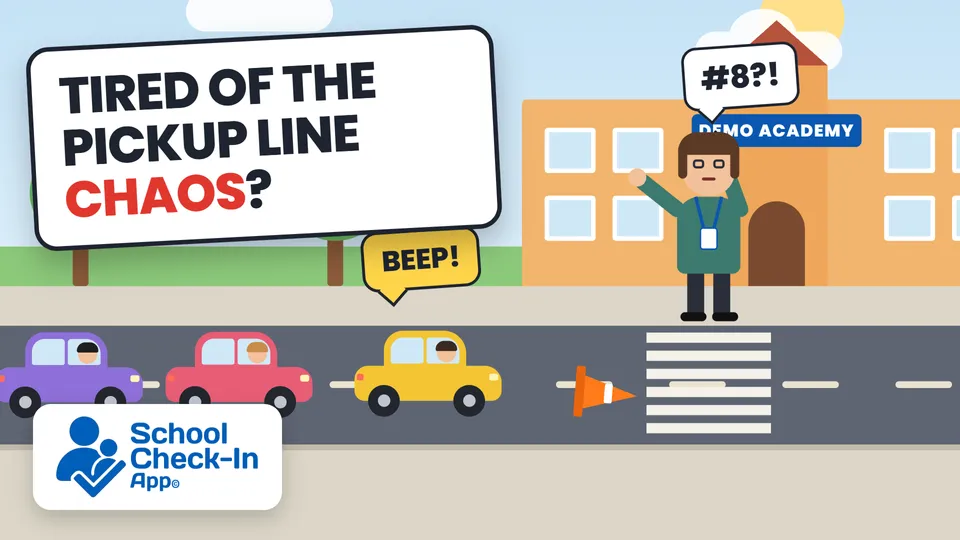
School pickup, without the chaos
Parents check in with one tap when they arrive. Your staff see every arrival on a live dashboard, so students are at the door when their ride pulls up — no walkie-talkies, no paper logs, no shouting names down the pickup line. Your staff get back 40+ minutes every afternoon.
Parent or guardian? Find your school to sign in, or get the app for the fastest check-in.
Find your school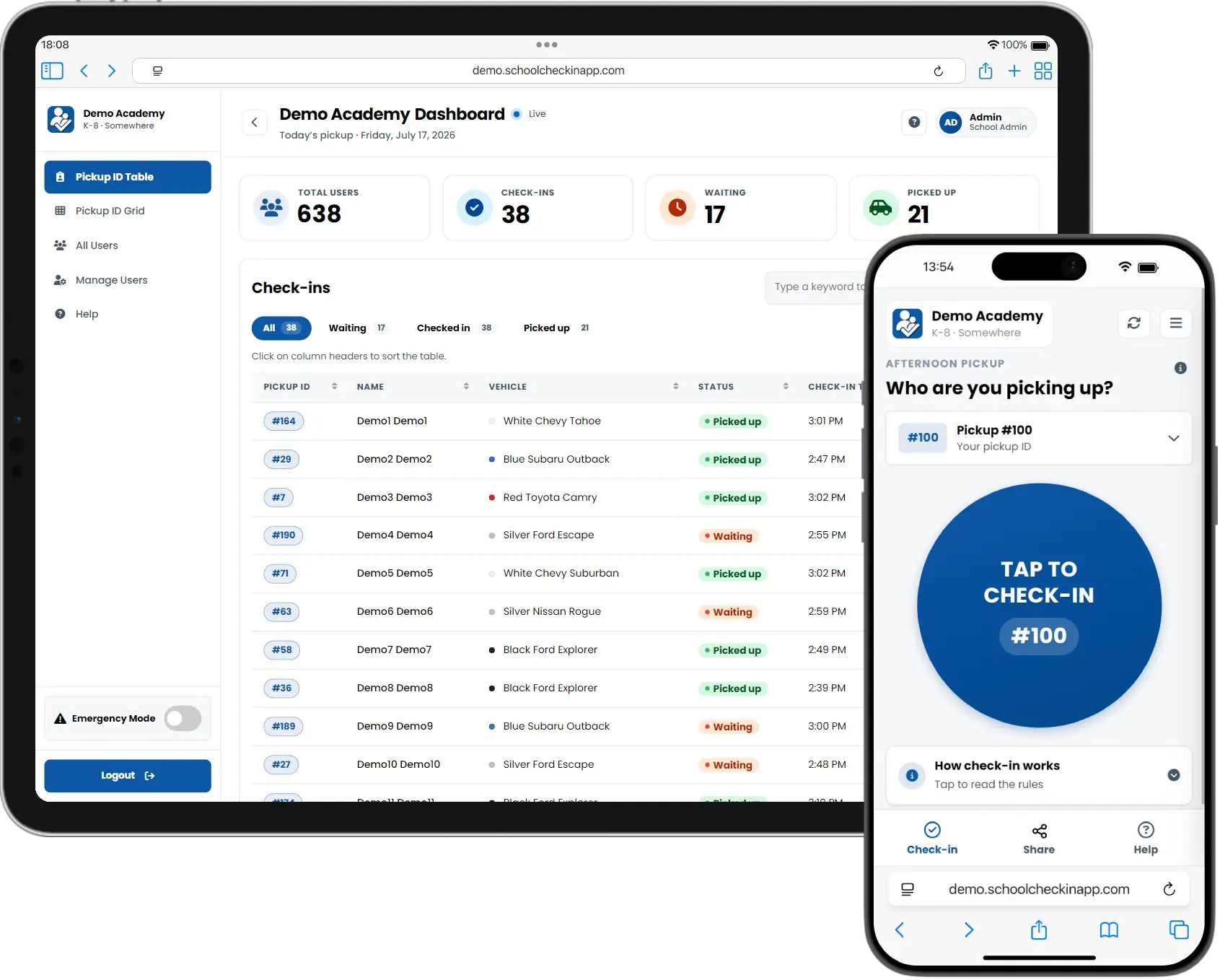
Live at Rogers Adventist School since August 2025 — now in our second school year
- 25,000+check-ins since August 2025
- 635parents & caregivers in 2025–26
- 500+parents & caregivers so far in 2026–27
- 100+hours a year given back to Rogers’ staff
“We went from dismissal being one of the most stressful parts of my day as an admin to dismissal being a piece of cake. Now, instead of trying to flag down cars and search for students, I have the ability to connect with students and parents in positive ways during dismissal. Game changer.”
From pickup chaos to calm
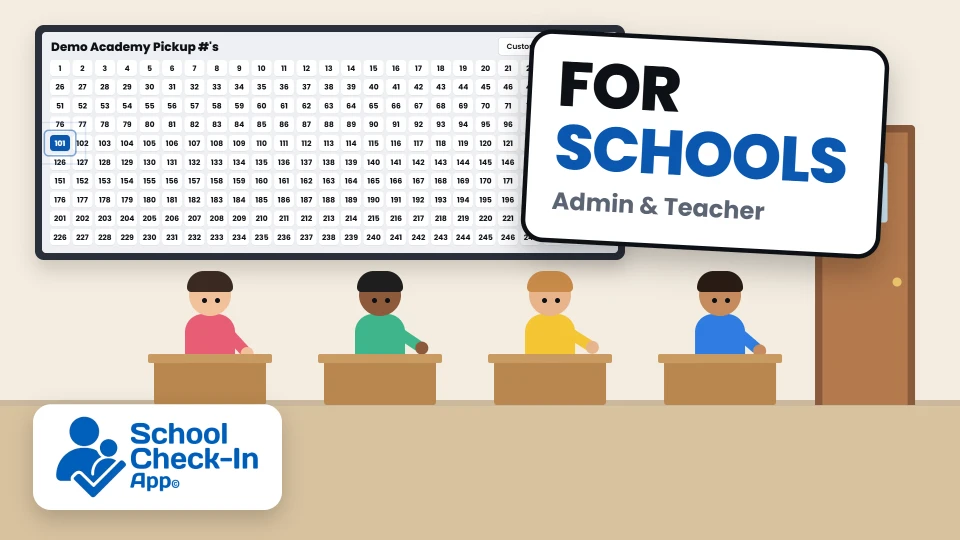
Dismissal stops being the most stressful part of the day. No more flagging down cars or hunting for students: every teacher sees each arrival live and sends students out when their ride is here, so your staff can spend dismissal with families instead of chasing car numbers. Watch it from both sides.
Three steps to a calm dismissal
We handle setup and send every family a welcome email — most parents are checking in on day one.
We set up your school
Send us your family list. We load pickup IDs, set your pickup area and times, and email every parent a secure sign-in link.
Parents tap when they arrive
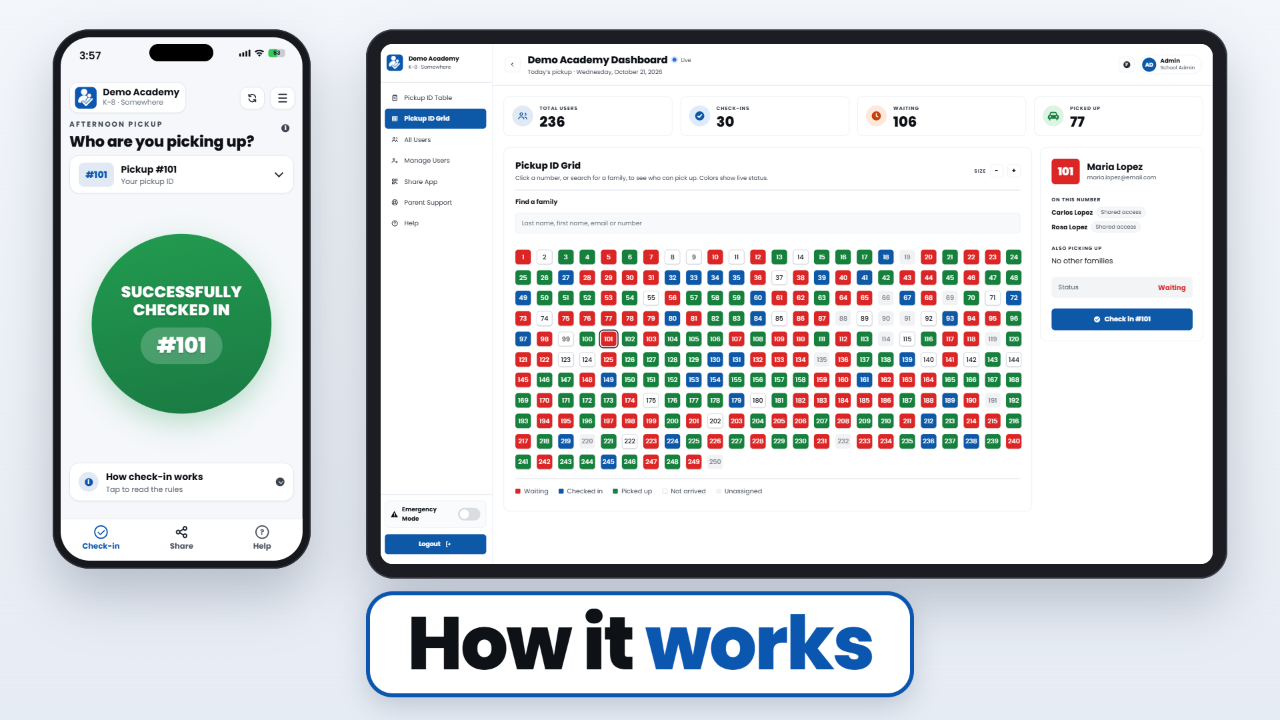
One button in the app or any browser. A location check confirms they're really at school, then their pickup ID appears on your dashboard instantly.
Your staff release students
Your team sees every arrival in real time and sends students out. No radios, no clipboards, no numbers shouted across the lot. Students wait inside until their number shows, and teachers stay in with them, whatever the weather.
Everything your pickup line needs
Full oversight for your staff, one tap for parents. Add optional upgrades like confirm-in-the-car and saved vehicles whenever your school is ready.
For your staff
Live dashboard
Every check-in appears the moment a parent taps — no radios, no clipboards.
For your staff
Admin controls
Add families, reset passwords, see daily check-in totals and handle exceptions in one place.
For your staff
Manual check-ins
Tap a number on the grid, then check the family in — every screen updates instantly.
For your staff
Emergency override
One switch lifts location and time rules school-wide when you need it.
For your staff
Sign-up tracking
See which families have signed up and who is still pending — automatic reminders on day 3 and day 7 nudge the rest.
For your staff
Easy undo
Checked in the wrong number? Undo a check-in or a pick-up from the same panel.
At the curb
One-tap check-in
Parents tap once and their pickup ID lands on your dashboard instantly.
At the curb
Every kid at once
Families with more than one pickup ID check them all in with the same tap.
- Upgrade
At the curb
Confirm in the car
Parents confirm every child is in the car before they pull away — or staff mark it for them.
- Upgrade
At the curb
Saved vehicles
Parents save make, model and color so the front office spots them in line sooner.
Who can pick up
Trusted guardians
Co-parents get their own logins; caregivers get shared access.
Who can pick up
One-day passes
Parents send a single-use link to a grandparent or sitter — good for that day only, and the office sees every active pass.
One system, two sides
Your staff run dismissal from a live dashboard. Parents check in from their phone.
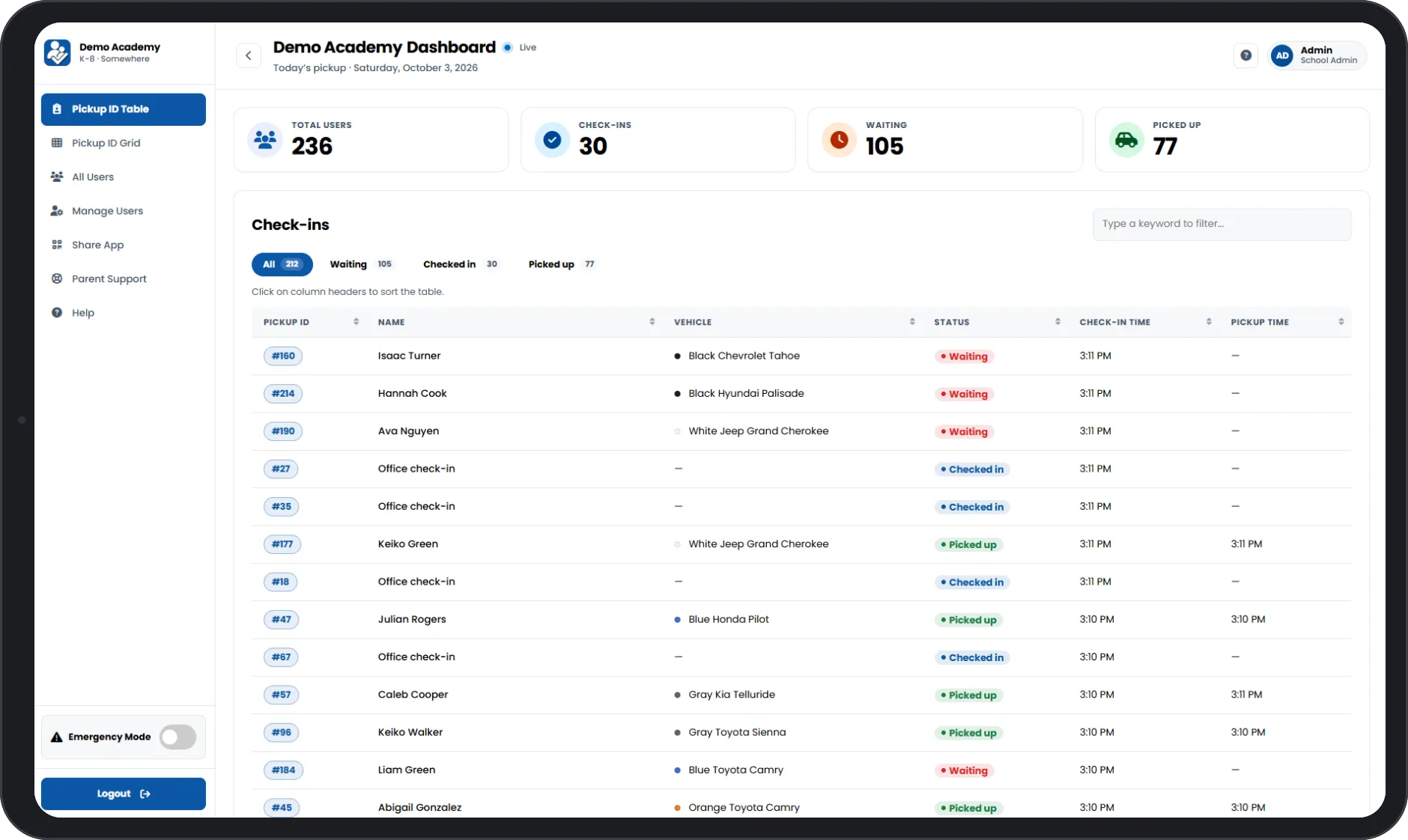
Live check-in table
Live on the App Store and Google Play — and it works in any browser.


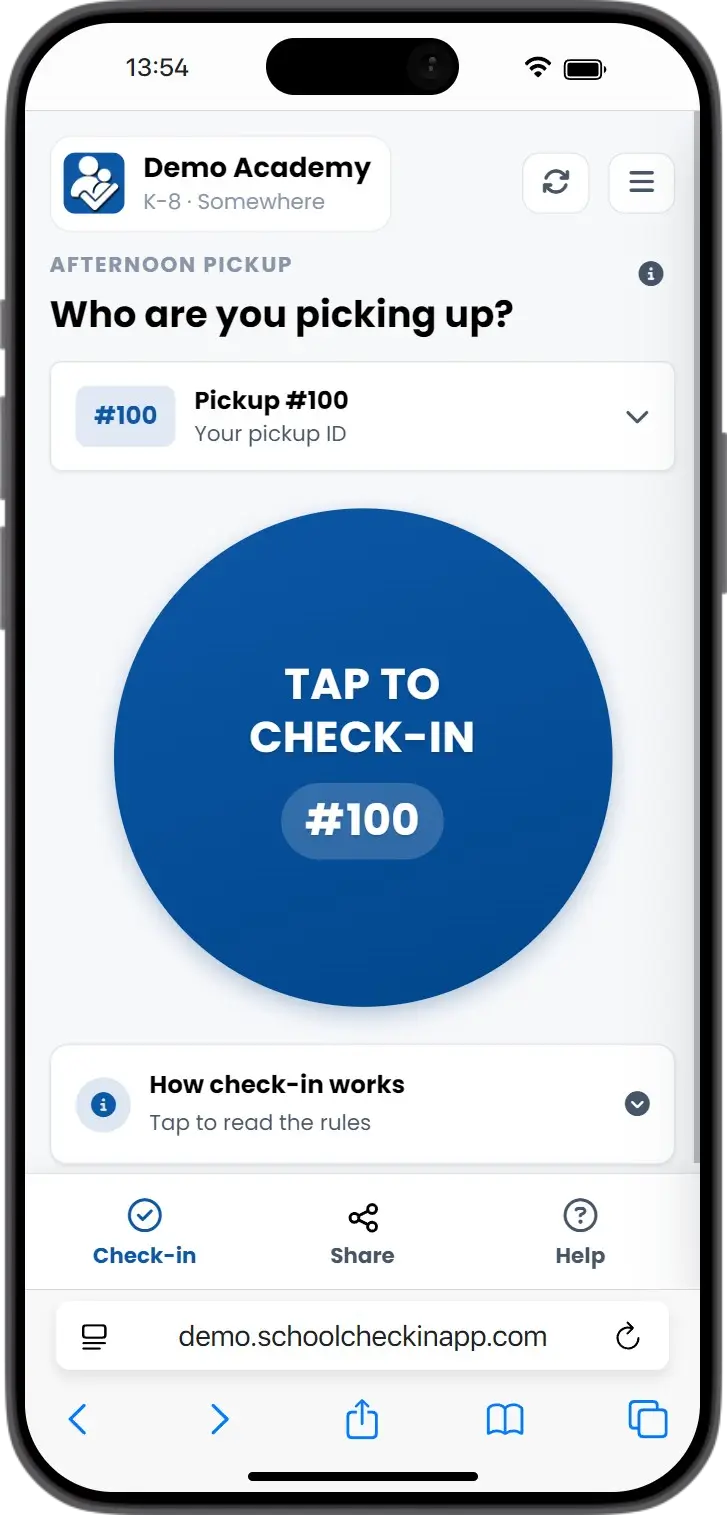
One-tap check-in
What our schools are saying
From school staff
We went from dismissal being one of the most stressful parts of my day as an admin to dismissal being a piece of cake. Now, instead of trying to flag down cars and search for students, I have the ability to connect with students and parents in positive ways during dismissal. Game changer.
At Rogers, school check-out went from standing out in the cold and juggling messy communication to a smooth system that keeps dismissal running smoothly, making me more available to focus on supporting students and families.
The time it took to relay numbers from whoever was outside to us inside. The app saves us a ton of time at pickup! Time saved for sure!
From families
Before the check-in app, pickup was the most frustrating part of my day. If the lot was full, I'd circle until someone calling numbers spotted me, or walk to the door in the rain, cold, or heat. Sometimes twenty minutes would pass, I'd go inside anyway, and find out my number never went through. My kid didn't even know I was there. Now pickup is fast and easy, and I don't start time with my kid already in a bad mood.
This app has simplified the school pick up process immensely. It is simple to use, reduces human error, and ensures a more secure process overall. I particularly have appreciated the ability to easily share our number (on a one-time, or ongoing basis) with family when we have needed help picking up our kids.
“A safe and effective way to notify the staff and knowing my students are receiving the message that I am in the parking lot. I love it!”
“So lovely to just pull in knowing that my number is logged in.”
“It has saved time and chaos.”
Transparent, value-driven plans
Modern dismissal security that scales with your school. No hidden fees or surprise spikes — just a straightforward, all-inclusive solution for your entire campus.
Every plan includes the whole core platform — nothing held back. Optional upgrades are quoted separately.
Core app & access6
- Parent App for iOS, Android & Web
- Live Teacher Dashboard
- Unlimited Check-Ins
- Multi-Child Check-In
- Permanent Guardian Sharing
- One-Day Temporary Access
Optional upgrades3
- Confirm-in-the-Car Step
- Saved Vehicles
- School Announcements Coming soon
Service & implementation7
- Annual Launch & Care Suite
- Setup & Onboarding
- Automated Parent Welcome Emails
- Automatic Sign-Up Reminders
- Install QR Code & Parent Flyer
- Support & Maintenance
- Custom Feature Consultation
Management tools11
- Full Administrator Dashboard
- Full Parent User Management
- Pickup Grid with Family Search
- Sign-Up Progress Tracking
- Undo Check-In & Pick-Up
- Bulk User & ID Upload (CSV)
- Automatic ID Assignment & Recycling
- Flexible ID System Support
- Half-Day Pickup Schedules
- Daily Check-In Totals
- Shared Staff Login
Security & hosting9
- Location-Verified Check-Ins
- Pickup-Window Enforcement
- Emergency Override Mode
- Bot & Abuse Protection
- Secure Google Cloud Hosting
- Cloudflare Edge Network & DDoS Protection
- Point-in-Time Recovery & Weekly Backups
- Daily Data Cleanup for Privacy
- Annual Security Review
From demo to your first pickup
Once we have your family list, most schools are live in 1–2 weeks. We do the heavy lifting — your staff don’t need to be tech experts.
Book a demo
See the parent app and staff dashboard live, and ask us anything.
Send your family list
A spreadsheet is all we need. Keep your existing pickup numbers or let us assign them.
We set up your school
Your logo and colors, pickup area and times, and logins for your staff.
Families get welcome emails
Every parent gets a secure sign-up link, with automatic reminders on day 3 and day 7. A QR code and flyer help you spread the word.
Your first pickup
Typically 1–2 weeks after we get your list. Go live at dismissal, with support from us while your team settles in.
Frequently asked questions
The questions schools ask us most. See all questions, including answers for parents.
How difficult is it to set up our school?
Is this one more thing for our teachers to learn?
What if some families don’t want another app?
Does our school need a specific ID system?
How is a "family" defined for billing?
How is our school's data protected?
Do you store sensitive location data?
Is the app FERPA compliant?
What student information do you collect?
I'm a grandparent or caretaker and can't sign in
Ready to transform your dismissal?
Whether you want a personalized tour or have questions about pricing and security, our team is here to help you make dismissal the easy part of your day. Email us at sales@schoolcheckinapp.com, use the form, or pick a time that works for you.